ToH TUI
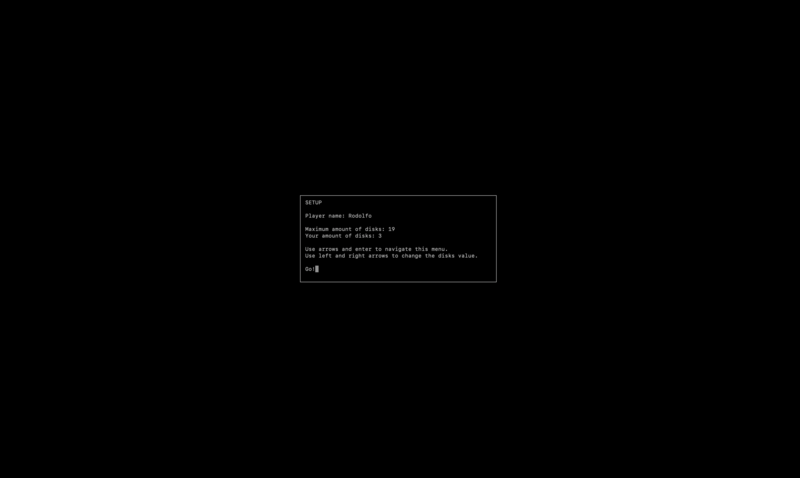
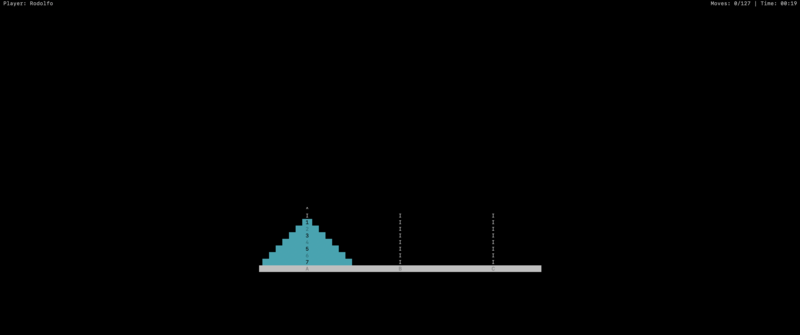
ToH TUI stands for Towers of Hanoi Terminal User Interface. It is a game that can run in the terminal, headless, with no graphics interface (e.g., common in server setups). Initially, this project was a homework assignment in Dr. Petrie’s Data Structures and Algorithms Analysis course during the spring of 2022. The assignment, however, differed significantly because the goal was to use only a text-based game.
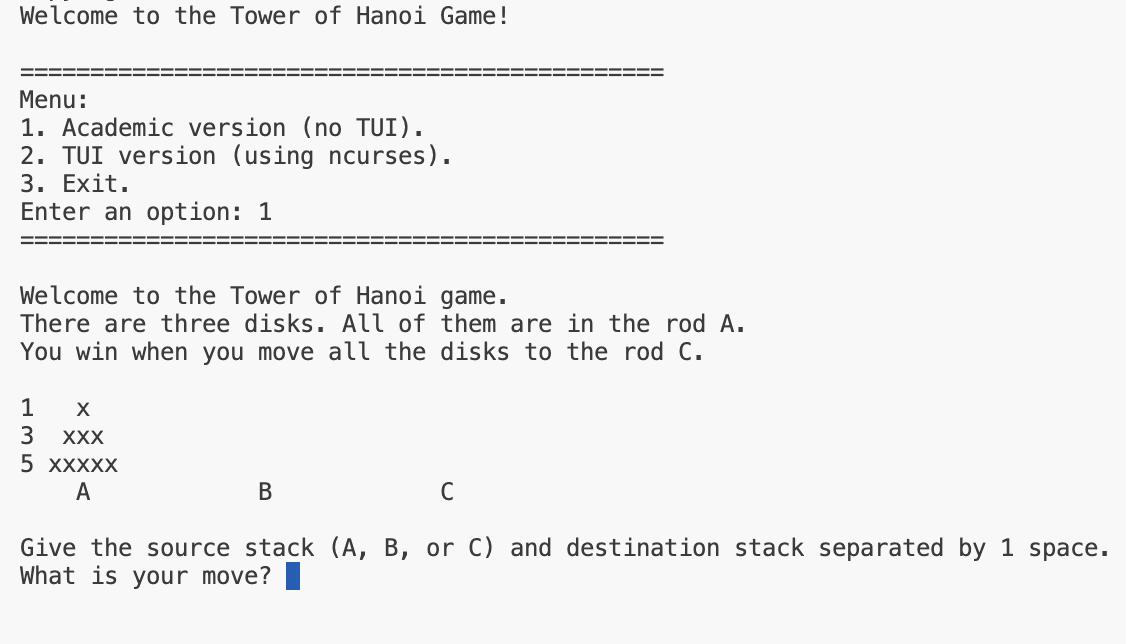
The assignment did not require a menu or a good-looking user interface. Fig. 1 shows the main menu of this project’s binary, along with the gameplay that the assignment expected. Running the project will show the menu with both options, the academic (original requirement) and TUI (the improvements I made).
Initially, the assignment (and the class) aimed to teach students about data structures and C++. I already knew some C++ programming back then, but I did not know the details of implementing specific data structures. As a consequence, I gained an appreciation for dynamic memory management using pointers and structures.
// Example linked list structure.
struct Node {
    int data;
    Node* next;
    Node(int val) : data(val), next(nullptr) {}
};

// Disk structure in the game_engine.h header file.
struct Disk
{
    unsigned id = 0; // Equivalent to the data field.
    struct Disk* next = nullptr; // Pointer to the next item.
};
Challenges
Architecture & Maintainability
The project shows that I already had some skills in software architecture. I started working on ToH TUI the semester after I finished my first assembler, following the first part of “The Elements of Computing Systems” book by Noam Nisan and Shimon Schocken. Those foundations helped me recognize the classes and methods I needed for a more complex project. I also improved my code comments, iterated on improvements, and introduced some unit testing, but there was still room for improvement.
When I started, I made a list of features I wanted for the game’s graphical version. As I worked through them, I made changes, removing some and adding others. That’s the iterative part; those were skills I was already practicing from previous projects; however, the central area where I was actively learning was architecting (aside from data structures).
The code is divided into two parts: the academic interface (the academic handler) and the TUI version (the full handler), both using a shared game logic engine. Both handlers use the engine for those basic structures, allowed moves, and validation, but their complexity (specifically the full handler) makes them a bit difficult to maintain. The handlers not only handle the visual representation of the game, but the full handler also adds logic for timing and scoring (total moves). They could improve by reducing the number of tasks each object must handle and properly breaking the classes into smaller, manageable units.
Of course, following the iterative approach I was using for this project, those changes could take place in the next iteration as a refactoring step. I, however, had the requirements from the start. Better planning could have yielded better organization.
Ncurses Learning Curve
Again, the assignment focused on the code logic, but it did not require students to create a good-looking interface or to worry about user experience. Nonetheless, when it comes to things I am passionate about, I will find ways to go beyond or perfect them. I wanted to bridge the gap between console applications and an actual graphical user interface (GUI). I thought at the time that learning ncurses could teach me how to actually create GUIs, windows, and events. The Win32 API seemed overly complicated, and I thought ncurses was a stepping stone; I may have been somewhat wrong, but it can still give programmers transferable skills for working with GUIs.
On the other hand, there are modern, high-level methods for handling GUIs. Using web technologies, for example, makes it extremely easy to handle UIs and styles. C++ and GUI libraries (e.g., Qt, GTK, Tcl/Tk) are significantly more complex but much more efficient in terms of resource usage (CPU and memory). The ncurses library is different; it offers a pixel-like control where each pixel is actually a character space in the terminal.
The initial learning curve may seem steep, but learning the basics is enough to build complex interfaces. The library also includes other extensions for windows, menus, and forms, but it is possible to get hands-on and build complex apps with just the basics (maybe reinventing the wheel here and there). Yet, I found it to be a great way to practice various programming skills.